Floppy Drives
How to choose floppy drives
Form factor
First, decide between an external reader (Electronics Accessories, Storage Devices) and an internal emulator (Computer Components). The reader is for pulling files from disks on a laptop, the emulator is for replacing a dead machine drive.
Build material
Material changes the experience. Plastic keeps a portable reader light, while metal or metal/plastic suits a fixed workstation that sees regular use.
Colour match
Colour is limited to grey, black, white. Choose black for a standard PC case, or white for a pale desk setup.
Emulator tier
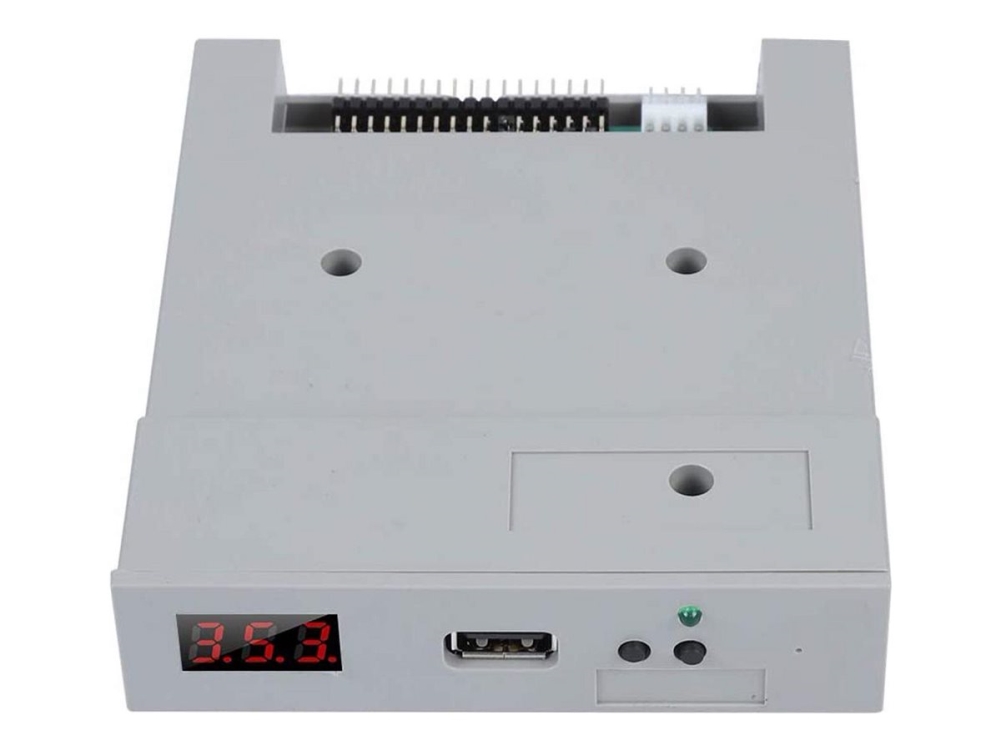
If you pick an emulator, weigh a plain model against one with OLED screen and rotary encoder. The screen gives standalone control but more complexity.
Connection type
Check the connection. Some drives offer USB-C or Type-C alongside standard USB, which matters for newer laptops with fewer ports.
What's good
- External USB floppy readers (Storage Devices, Electronics Accessories) give a quick way to pull files from old 3.5 inch disks on a modern laptop.
- Floppy to USB emulators (Computer Components) keep legacy or retro machines running by swapping a failed internal drive.
- Emulators with an OLED screen and rotary encoder let you select virtual disks without a host PC, useful for standalone gear.
- Most units come in grey, black or white with plastic or metal builds, so they sit quietly alongside existing kit.
Things to watch
- External readers only handle real floppy media, so they cannot emulate images or boot from virtual disks.
- Internal emulators (Computer Components) need fitting inside a case, which is awkward if you just want occasional file access from a laptop.
- Emulators with an OLED screen and rotary encoder add extra parts that can fail, unlike a basic emulator panel.
- Plastic-bodied drives are lighter but less resistant to rough bench use than metal or metal/plastic builds.
- Some listings use fur material, marking them as novelty items that are wrong for serious data transfer.
Care & maintenance
Port care
Wipe the USB port with a dry cloth now and then to avoid connection errors.
Disk storage
Keep real floppy disks away from speakers and magnets if you use a reader for transfers.
Encoder upkeep
For panel emulators with a rotary encoder, give it a gentle turn periodically to prevent stiffness.
Cable handling
Store portable drives flat and do not coil the cable tightly to protect the internal wiring.
Frequently Asked Questions
What should I look for when buying floppy drives?
When shopping for floppy drives, consider factors such as quality, price, brand reputation, and customer reviews. Compare prices across multiple retailers to ensure you're getting the best deal. Look for products that match your specific needs and budget.
How do I choose the right floppy drives?
Choosing the right floppy drives depends on your individual needs, budget, and preferences. Research different options, read customer reviews, and compare specifications. Consider what features are most important to you and look for products that offer the best value for money.
Where can I find the best deals on floppy drives?
You can find the best deals on floppy drives by comparing prices across multiple retailers. Our price comparison tool helps you find the lowest prices from trusted UK retailers including Amazon, eBay, and other major online stores. Check regularly as prices and deals change frequently.
Are floppy drives products worth the investment?
The value of floppy drives products depends on your specific needs and how you plan to use them. Quality products from reputable brands often provide better long-term value, even if they cost more initially. Consider your budget and requirements when making your decision.
What's the difference between different types of floppy drives?
Different types of floppy drives vary in features, quality, price, and intended use. Some may offer premium features while others focus on affordability. Research the specific differences between models or brands to find the option that best suits your needs and budget.